How to Set Up Your Smart Home System: A Complete, Beginner-Friendly Guide
Setting up a smart home can feel overwhelming—so many devices, apps, and settings! But with the right plan, you can create a smooth, automated living space that saves energy, boosts security, and makes daily tasks easier.
This step-by-step guide walks you through everything you need to know, from choosing a hub to installing devices and optimizing automation.
1. Start With a Clear Plan
Before buying anything, outline your goals so you can choose the right ecosystem and devices.
Questions to Ask Yourself
Do you want better security (cameras, sensors, alarms)?
Do you want hands-free control with voice assistants?
Are you trying to save energy using smart thermostats or lighting?
How much automation do you want (simple routines vs. complex workflows)?
What is your budget?
Creating a plan avoids compatibility issues later.
2. Choose Your Smart Home Ecosystem
This is the brain of your smart home—choose one that fits your devices and preferences.


Popular Ecosystems
① Amazon Alexa
Works with the largest variety of smart devices.
Best for budget-friendly builds.
② Google Home / Google Assistant
Great voice control and seamless integration with Android.
③ Apple HomeKit
Most secure option.
Best for iOS users and privacy-focused homes.
④ Matter (New Standard)
A unifying smart-home standard supported by Apple, Google, Amazon, Samsung.
Ensures cross-brand compatibility.
Tip: Choose your ecosystem first, then select devices that work with it.
3. Select Your Smart Home Hub
Even though many ecosystems work hub-free, a hub improves automation, device reliability, and local control.
Types of Hubs
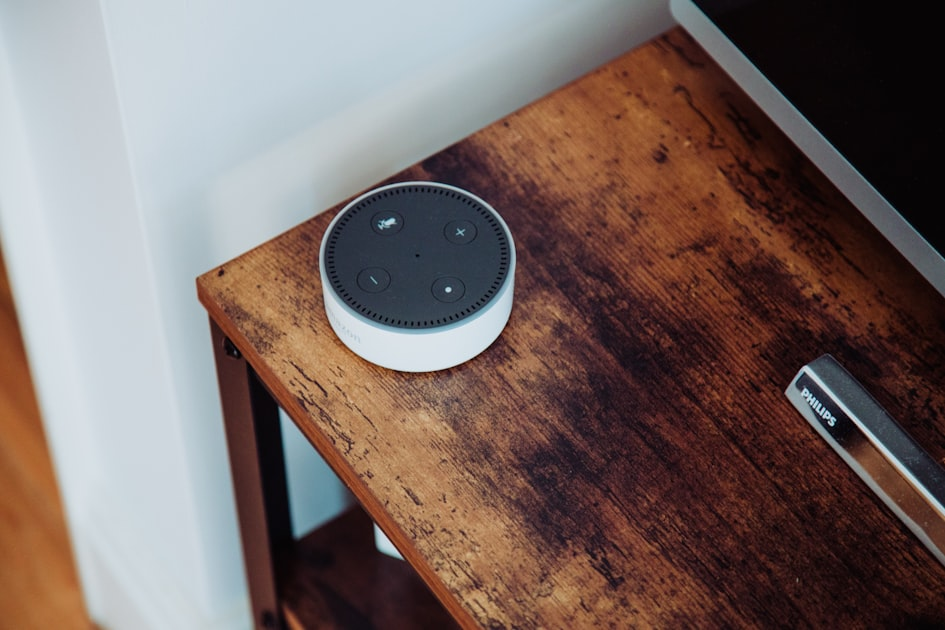
Voice Assistant Hubs (Echo, Nest Hub, HomePod)
Automation Hubs (SmartThings, Hubitat)
Security Hubs (Ring Alarm, SimpliSafe)
Why You Might Want One
Reduces Wi-Fi load
Improves responsiveness
Allows advanced routines
Keeps your system running even if the internet drops (local control)
4. Build the Foundation: Start With Core Devices
Below are the best starting points for beginners.


Smart Lights
Easy to install
Great for routines (sunset/sunrise automation)
Options: Philips Hue, LIFX, Nanoleaf
Smart Plugs
Make any traditional device smart
Ideal for lamps, coffee makers, fans
Smart Thermostats
Save on energy bills
Intelligent temperature learning
Examples: Google Nest, Ecobee
Smart Security
Video doorbells
Smart locks
Indoor/outdoor cameras
Motion/contact sensors
Start simple, then expand.
5. Install and Connect Your Devices
General Setup Steps
Plug in or install your device.
Download the manufacturer’s app.
Connect the device to your Wi-Fi (use 2.4GHz when required).
Link the device to your smart home ecosystem (Alexa/Google/HomeKit).
Add the device to a room or group for better control.
Pro Tip:
Keep a naming convention like:
Living Room Lamp
Kitchen Lights
Front Door Camera
This helps a lot with voice commands.
6. Create Automation Routines
This is where your smart home becomes smart.
Popular Routine Ideas
Lighting Automations
Turn on lights at sunset.
Dim lights when the TV turns on.
Security Automations
Lock doors and turn off lights when you say “Goodnight.”
Turn on cameras when you leave home.
Convenience Automations
“Good Morning” routine:
Lights turn on → Coffee maker starts → Weather plays.
Energy-Saving Automations
Thermostat adjusts when you’re away.
Lights turn off in empty rooms using motion sensors.
7. Optimize Network and Security
A smart home is only as good as its network.
Wi-Fi Tips
Use a mesh Wi-Fi system for strong coverage.
Name your 2.4GHz and 5GHz bands separately if needed.
Keep your router in a central location.
Security Tips
Use strong, unique passwords.
Enable 2-factor authentication.
Update firmware regularly.
Separate a guest network for visitors.
8. Expand Your Smart Home Over Time
Once the essentials are set, consider adding:
Advanced Add-Ons
Smart garage openers
Smart blinds
Air purifiers
Home energy monitors
Water leak sensors
Robotic vacuums
Make sure each new device supports your ecosystem (or Matter).
Final Thoughts
Setting up a smart home doesn’t have to be complicated. Start small, choose compatible devices, set up basic routines, and expand in stages. Soon your home will feel more comfortable, secure, and efficient—without the stress.