Essential Buying Guide for Smart Home Devices: Everything You Need to Know Before You Buy
Smart home devices have become an essential part of modern living—offering convenience, added security, energy savings, and hands-free automation. But with thousands of devices on the market, choosing the right ones can feel overwhelming.
This in-depth buying guide breaks down everything you need to know before investing in smart home gadgets.
Whether you’re a beginner building your first setup or expanding your current ecosystem, this guide will help you make smart, future-proof decisions.
1. Start With Your Smart Home Foundation (The Brain of Your Home)
Before you purchase any smart device, you need to decide how all your gadgets will communicate.
A. Choose Your Ecosystem
Your ecosystem determines compatibility, voice assistant options, and automation capabilities.
Top Smart Ecosystems:
Amazon Alexa – Best for variety, budget-friendly options, and compatibility
Google Home / Google Assistant – Best for Android users + powerful voice control
Apple HomeKit – Best for iOS users who value privacy
Samsung SmartThings – Best for advanced automation
Matter-Compatible Ecosystems – Best for long-term future-proofing
How to Choose:
If you’re deep in Apple products → Choose HomeKit
If you want the largest device compatibility → Choose Alexa
If you use Android → Choose Google Home
If you want high customization → Choose SmartThings
If you want future-proof cross-platform compatibility → Choose Matter devices
2. Understand the Smart Home Communication Protocols
Smart devices communicate through different wireless systems.
Knowing these helps you avoid compatibility issues.
A. Wi-Fi
Direct connection to router
No hub required
Can slow down networks with many devices
Best for: Smart plugs, cameras, video doorbells, appliances
B. Bluetooth
Short-range
Slower but energy-efficient
Best for: Smart locks, sensors, trackers
C. Zigbee & Z-Wave
Require a hub
Low-power, stable mesh networks
Allow hundreds of devices to connect efficiently
Best for: Security systems, sensors, lighting systems
D. Matter (New Standard)
Works across multiple brands and ecosystems
Designed for interoperability
Best for: Future-proof smart home setups
3. Determine Your Smart Home Goals
Before buying anything, decide what you want your smart home to do.
Common Smart Home Goals:
Security & safety: Cameras, doorbells, motion sensors
Convenience: Smart speakers, voice control, automation routines
Energy savings: Smart thermostats, smart plugs, energy monitors
Entertainment: Smart TVs, streaming devices, multi-room audio
Comfort: Smart lighting, climate control, smart blinds
Write down your priorities so you don’t overspend or buy unnecessary gadgets.
4. Essential Smart Home Categories & How to Choose the Right Devices
A. Smart Speakers & Voice Assistants
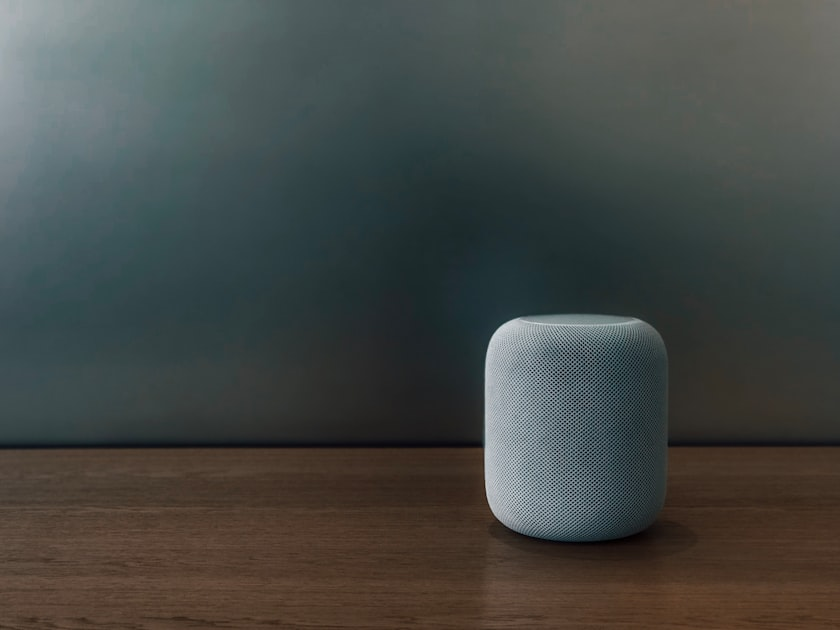
Your smart speaker acts as your voice control hub.
Look for:
Sound quality
Supported ecosystem (Alexa / Google / Siri)
Microphone quality
Multi-room audio support
Popular Choices:
Amazon Echo
Google Nest Audio
Apple HomePod Mini
B. Smart Lighting
One of the easiest ways to start a smart home.
Types:
Smart bulbs
Smart light switches
Light strips
Features to compare:
Brightness (lumens)
Color range (RGB vs white-only)
App control
Scheduling
Compatibility with your system
Pro Tip:
If you rent → smart bulbs
If you own a home → smart switches (more permanent + cost-effective)
C. Smart Thermostats
Can reduce energy bills by 10–23%.
Must-have features:
Learning capabilities
Remote control
Energy reports
Geofencing
HVAC compatibility check
Popular choices:
ecobee Smart Thermostat
Google Nest Learning Thermostat
D. Smart Security Cameras & Doorbells
Key features:
Video quality (1080p minimum)
Night vision
Motion detection
Field of view
Local vs cloud storage
Subscription fees
Two-way audio
Battery vs Wired:
Battery = flexible but needs recharging
Wired = constant power and better reliability
E. Smart Locks
Perfect for keyless entry and improved security.
Features to compare:
Auto-lock & auto-unlock
Compatibility with your door hardware
Remote access
One-time guest codes
Battery life
Emergency key override
F. Smart Plugs & Outlets
Inexpensive, instantly “smartens” any device.
Look for:
Energy monitoring
Scheduling
App quality
Voice assistant support
G. Smart Home Sensors
Essential for automation.
Types of sensors:
Motion sensors
Contact/window sensors
Water leak detectors
Temperature sensors
Use cases:
Turn lights on when you enter a room
Detect leaks early
Automate heating/cooling based on room temp
5. Budget Planning for a Smart Home Setup
Here’s a realistic starting point for beginners:
| Product | Estimated Cost |
|---|---|
| Smart Speaker | £30–£100 |
| Smart Bulbs (3-pack) | £30–£60 |
| Wi-Fi Smart Plug | £10–£25 |
| Smart Doorbell | £90–£250 |
| Smart Thermostat | £100–£250 |
| Smart Camera | £40–£200 |
Start small → scale over time.
6. Privacy & Security Considerations
Smart devices collect data—so you must protect your home network.
MUST DO:
✔ Change default passwords
✔ Turn on two-factor authentication
✔ Create a separate Wi-Fi guest network for your IoT devices
✔ Keep firmware updated
Check the brand’s privacy reputation:
Does it sell your data?
Does it require a subscription?
Does it offer local storage?
7. Future-Proofing Your Smart Home
To avoid outdated devices:
Choose devices that support:
Matter
Thread
Regular firmware updates
Cross-platform compatibility
Avoid brands with poor long-term support.
8. Questions to Ask Before Buying Any Smart Device
Does it work with your ecosystem?
Does it require a hub?
Are there any subscription fees?
How stable is the brand’s app/system?
Is it easy to install?
What is the expected lifespan?
Does it offer local storage or is it cloud-only?
Are automation routines available?
How good are online reviews?
Is there customer service support?
9. Recommended Starter Smart Home Kit (Beginner-Friendly)
Here’s an ideal starter kit for new smart home users:
1 smart speaker (Alexa or Google)
3 smart bulbs
1 smart plug
1 indoor camera
1 video doorbell
1 thermostat (optional)
This small setup gives you:
Security
Energy savings
Convenience
Automation
10. Final Thoughts: Build Your Smart Home With a Plan
A smart home should make life easier—not more complicated.
With careful planning and understanding your goals, you can build a powerful, secure, and future-proof system that grows over time.
Start small.
Choose the right ecosystem.
Buy quality devices.
Protect your network.
You’re well on your way to creating a truly smart home.