Beginner’s Guide to Smart Home Automation: Simple Guide
Smart home automation can make your life more convenient, efficient, and secure—but getting started doesn’t have to be complicated. Whether you’re setting up your first smart device or planning a fully connected home, here’s a clear, beginner-friendly roadmap to help you dive in with confidence.
1. Start With Your Goals
Before buying anything, decide what you want your smart home to do. Common goals include:
-
Convenience: Hands-free lights, voice-controlled music, automated routines
-
Energy savings: Smart thermostats, energy-monitoring plugs
-
Security: Smart cameras, doorbells, sensors
-
Comfort: Automated blinds, mood lighting, smart speakers
Having clear goals helps you choose the right devices from the start.
2. Choose Your Smart Assistant
Your smart home usually revolves around one main “hub.” The top choices are:
-
Amazon Alexa
-
Google Assistant
-
Apple Home (Siri)
Pick the ecosystem you already use (e.g., iPhone users often choose Apple Home). Sticking to one ecosystem keeps everything compatible and easy to control.
3. Start With a Few Core Devices
You don’t need everything at once. Begin with simple devices that offer the biggest impact:
-
Smart bulbs: Control lighting from your phone or voice
-
Smart plugs: Make almost any device smart
-
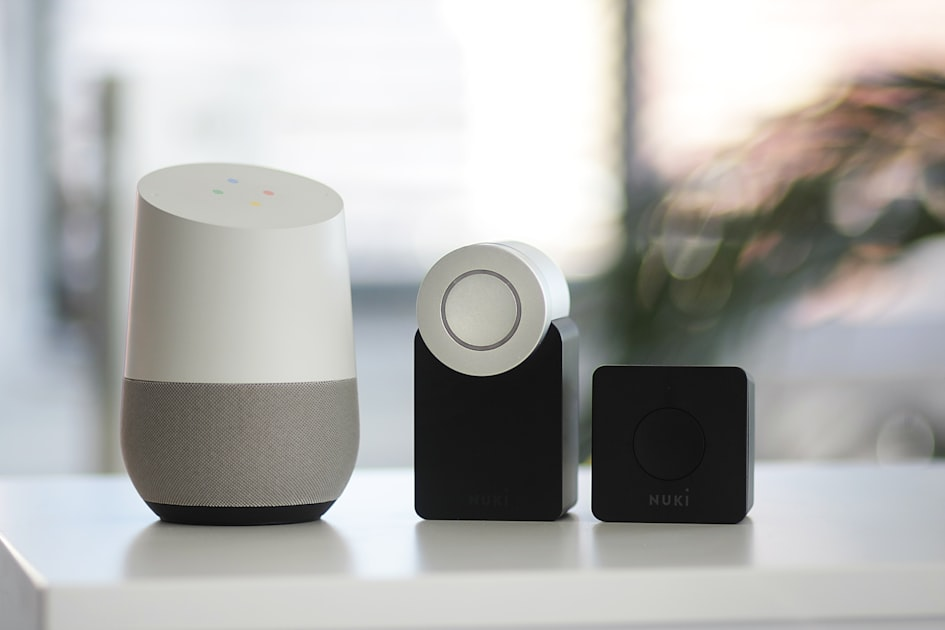
Smart speakers/displays: Control your home with voice
-
Smart thermostat: Automatically adjusts temperature for comfort and savings
These devices are beginner-friendly and easy to expand from.
4. Set Up Your Home Wi-Fi Network
Your smart home relies on your Wi-Fi. To avoid issues:
-
Make sure your router is strong enough to cover your home
-
Use a dual-band router (2.4 GHz is often required for smart devices)
-
Name your Wi-Fi clearly and keep passwords accessible
A reliable connection makes setup smoother and prevents devices from dropping offline.
5. Install Devices One at a Time
Add each device individually so you don’t overwhelm yourself.
For each device:
-
Plug it in / install it
-
Download the manufacturer’s app
-
Connect it to Wi-Fi
-
Link it to your smart assistant
Test it before moving to the next one.
6. Create Simple Automations
This is where the magic happens. Start small:
-
“Good Morning” routine: Turn on lights, read the weather, start coffee
-
Motion-triggered lighting: Lights turn on when you enter a room
-
“Away Mode”: Lock doors, turn off lights, adjust temperature
As you get comfortable, you can build more complex routines.
7. Expand Over Time
Once your foundation is set, you can grow your smart home with:
-
Smart locks
-
Video doorbells
-
Security systems
-
Smart blinds
-
Multi-room audio
Only add devices that genuinely improve your daily life.
Final Tip: Keep It Simple
The best smart homes aren’t the ones with the most tech—they’re the ones that fit your lifestyle perfectly. Start small, build gradually, and enjoy the convenience along the way.
Embrace the future of living!